





SavedTabs Simplifies Tab Management And New Tab Browsing
References: chromewebstore.google
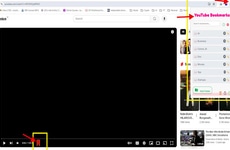
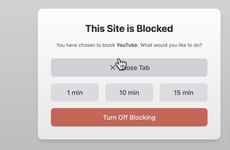
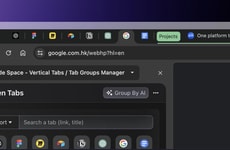
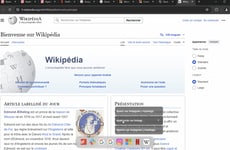
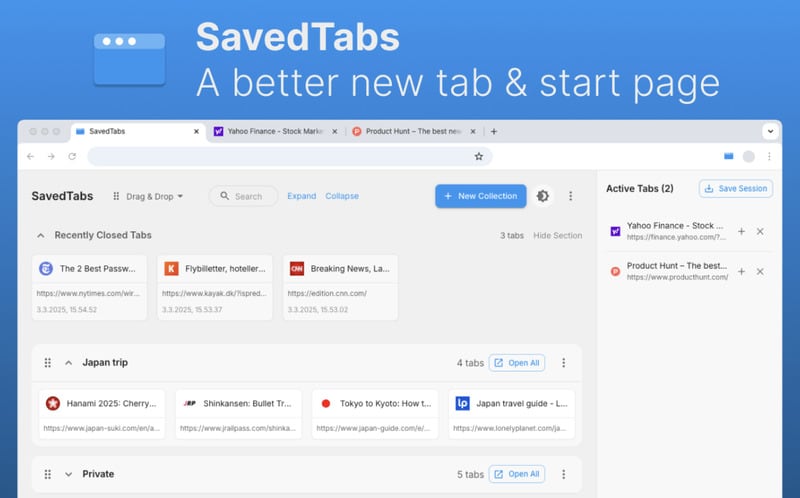
SavedTabs is a Chrome extension designed to help users organize, save, and revisit browser tabs more efficiently. It replaces the default new tab or start page with a customizable interface that provides quick access to frequently used websites. One of its core functions is session saving, allowing users to capture all open tabs with a single click and restore them later when needed.
This approach supports users who regularly work across multiple tabs, projects, or research sessions, reducing clutter and minimizing the risk of losing important pages. For professionals and teams, SavedTabs can improve focus and workflow continuity by making browser usage more intentional and structured. Rather than adding complexity, the extension emphasizes speed and simplicity, positioning itself as a lightweight productivity layer within the everyday browsing experience.
Image Credit: SavedTabs
This approach supports users who regularly work across multiple tabs, projects, or research sessions, reducing clutter and minimizing the risk of losing important pages. For professionals and teams, SavedTabs can improve focus and workflow continuity by making browser usage more intentional and structured. Rather than adding complexity, the extension emphasizes speed and simplicity, positioning itself as a lightweight productivity layer within the everyday browsing experience.
Image Credit: SavedTabs
Consumer Demand Drives Foldable and Multi-Screen Devices
Consumers are adopting foldable and multi-screen devices as they seek more versatile and pocketable screen options for enhanced mobility and functionality.
Question 1
Which of the following types of devices have you personally used in the past 12 months?
Select up to 8
Question 2
What are the main reasons you use or chose this type of device?
Select up to 3
Question 3
How likely would you be to choose a foldable or multi-screen device the next time you purchase a smartphone, tablet, or laptop?
Trend Themes
-
Intuitive Browser Extensions — Intuitive browser extensions are reshaping digital workflows by offering streamlined solutions for digital clutter, helping users maintain focus in an ever-connected environment.
-
Personalized Web Interfaces — Personalized web interfaces transform how users interact with browsers by providing customizable features that cater to individual preferences and needs, enhancing overall user experience.
-
Focused Web Browsing — Focused web browsing tools facilitate concentrated online engagement by minimizing distractions, thereby supporting improved productivity and task management.
Industry Implications
-
Productivity Software — The productivity software industry continues to evolve, integrating ever-more sophisticated tools that manage digital tasks and improve workflow optimization.
-
Web Development — In the web development industry, creating adaptive and user-centered solutions is becoming crucial as businesses focus on enhancing internet tools to support varied user needs.
-
Collaboration Tools — Collaboration tools are increasingly incorporating features that streamline digital organization, promoting efficiency and effective teamwork in professional environments.
3.4
Score
Popularity
Activity
Freshness