


Logitech's MX Keypad Now Integrates With Leading Coding Platforms
Edited by Adam Harrie — September 21, 2026 — Tech
This article was written with the assistance of AI.
References: yankodesign
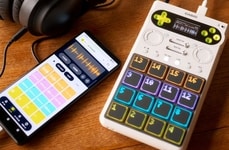
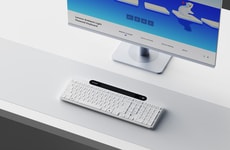
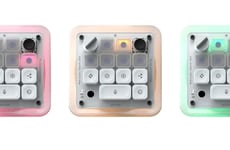
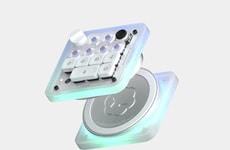
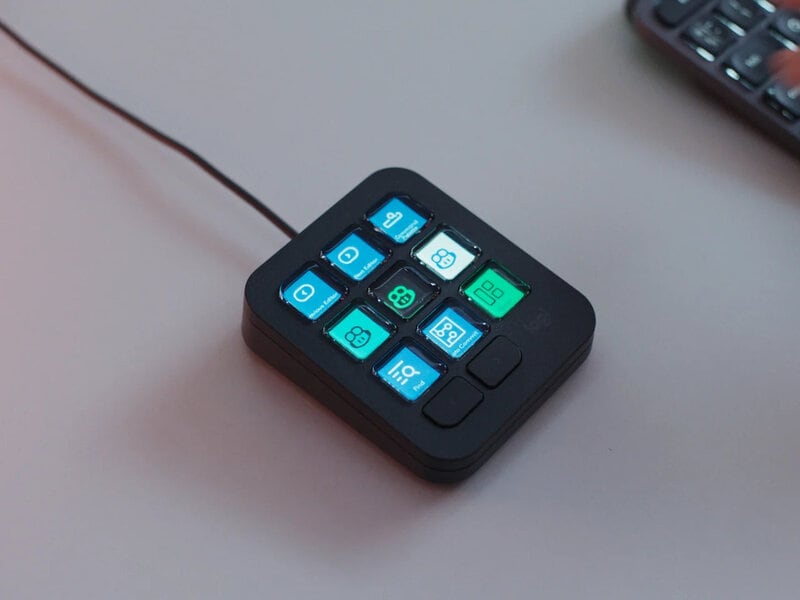
Logitech introduced its MX Keypad, a nine-button companion device that sits beside a keyboard, with a full-color LCD on each key so each button clearly shows its command. It can trigger refactors, run prompt macros, or hand tasks to an AI agent, turning abstract shortcuts into labeled controls.
The keypad works across GitHub Copilot, Claude Code, VS Code, and IntelliJ IDEA, and it pages between multiple profiles so a developer can switch projects with a tap. It ships with prebuilt plugins tested on real coding platforms, includes an SDK for custom tools, and offers a community marketplace for additional integrations.
The MX Keypad reduces context switching by keeping prompts and agent actions within a glance of the code. Its recycled-plastic body suits a device meant to live on a desk, and at $99.99 it positions itself as a dedicated workflow translator for developers.
Image Credit: Yanko Design - Modern Industrial Design News
The keypad works across GitHub Copilot, Claude Code, VS Code, and IntelliJ IDEA, and it pages between multiple profiles so a developer can switch projects with a tap. It ships with prebuilt plugins tested on real coding platforms, includes an SDK for custom tools, and offers a community marketplace for additional integrations.
The MX Keypad reduces context switching by keeping prompts and agent actions within a glance of the code. Its recycled-plastic body suits a device meant to live on a desk, and at $99.99 it positions itself as a dedicated workflow translator for developers.
Image Credit: Yanko Design - Modern Industrial Design News
Consumer Demand Drives Foldable and Multi-Screen Devices
Consumers are adopting foldable and multi-screen devices as they seek more versatile and pocketable screen options for enhanced mobility and functionality.
Question 1
Which of the following types of devices have you personally used in the past 12 months?
Select up to 8
Question 2
What are the main reasons you use or chose this type of device?
Select up to 3
Question 3
How likely would you be to choose a foldable or multi-screen device the next time you purchase a smartphone, tablet, or laptop?
Trend Themes
-
Labeled Workflow Controls — Physical keys with embedded displays convert complex software commands into glanceable actions, creating room for interfaces that make expert workflows more accessible and less error-prone.
-
AI Agent Shortcuts — Dedicated controls for prompts, refactors, and agent handoffs signal growing demand for hardware that bridges human intent with automated coding assistants.
-
Profile-based Developer Tools — Context-aware devices that switch between project-specific layouts introduce new possibilities for personalized productivity systems across fragmented software environments.
Industry Implications
-
Developer Productivity — Programmable desktop peripherals expand the market for tools that reduce context switching and streamline repetitive coding tasks.
-
Computer Hardware — Specialized input devices with dynamic displays create differentiation opportunities beyond traditional keyboards, mice, and monitors.
-
Software Integration — Plugin ecosystems and SDKs around companion hardware open pathways for platforms to extend functionality into physical workspace controls.
4.7
Score
Popularity
Activity
Freshness