



LogDog Simplifies App Debugging With Real Time Mobile Insights
Debugging mobile applications can become complicated when developers need to track scattered logs, network activity, and unexpected events across different environments. LogDog provides a dedicated debugging companion built specifically for iOS and Android developers, bringing essential monitoring tools into one streamlined workflow.
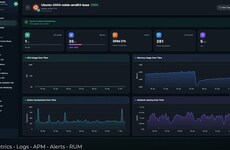
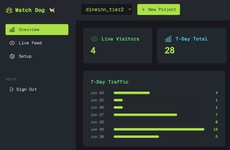
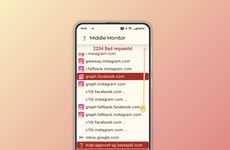
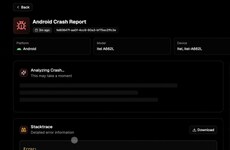
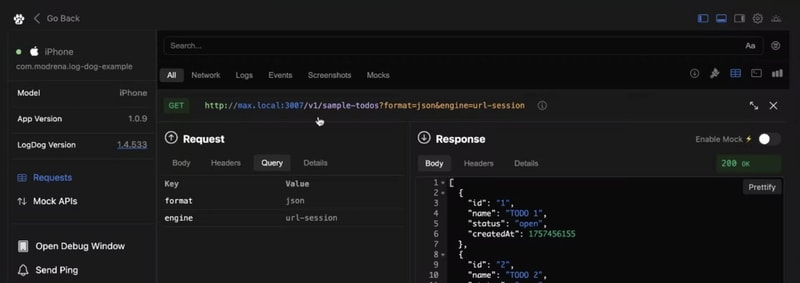
The platform captures network requests, logs, and app events in real time, helping developers identify issues faster and understand what is happening inside their applications. Built with mobile development in mind, LogDog integrates through its SDK to give teams clearer visibility during testing and production. Instead of searching through disconnected tools, developers can access important information from a central debugging solution. LogDog supports faster troubleshooting, smoother development cycles, and greater confidence when releasing mobile apps. It gives developers the insights needed to improve app performance and maintain reliable user experiences.
Image Credit: LogDog
The platform captures network requests, logs, and app events in real time, helping developers identify issues faster and understand what is happening inside their applications. Built with mobile development in mind, LogDog integrates through its SDK to give teams clearer visibility during testing and production. Instead of searching through disconnected tools, developers can access important information from a central debugging solution. LogDog supports faster troubleshooting, smoother development cycles, and greater confidence when releasing mobile apps. It gives developers the insights needed to improve app performance and maintain reliable user experiences.
Image Credit: LogDog
Consumer Demand Drives Foldable and Multi-Screen Devices
Consumers are adopting foldable and multi-screen devices as they seek more versatile and pocketable screen options for enhanced mobility and functionality.
Question 1
Which of the following types of devices have you personally used in the past 12 months?
Select up to 8
Question 2
What are the main reasons you use or chose this type of device?
Select up to 3
Question 3
How likely would you be to choose a foldable or multi-screen device the next time you purchase a smartphone, tablet, or laptop?
Trend Themes
-
Real-time App Observability — Centralized visibility into logs, network requests, and app events creates room for smarter mobile monitoring platforms that reduce diagnostic friction across development and production environments.
-
Sdk-based Debugging — Embedded debugging capabilities are reshaping how mobile teams collect performance data by making troubleshooting more native to the app development workflow.
-
Unified Developer Tooling — Consolidated interfaces for scattered technical signals highlight demand for streamlined tools that replace fragmented debugging processes with clearer operational insight.
Industry Implications
-
Mobile App Development — Real-time debugging companions can improve release confidence by helping teams identify defects earlier and maintain more reliable user experiences.
-
Developer Tools — Purpose-built observability products for mobile environments point to growth in specialized platforms that address workflow gaps overlooked by general engineering tools.
-
Software Testing — Integrated monitoring across testing and production environments expands the role of quality assurance from issue detection to continuous app performance intelligence.
3.1
Score
Popularity
Activity
Freshness