





Kleanly Lets You Safely Disable Your Mac Keyboard And Trackpad
References: haidernawaz8.gumroad
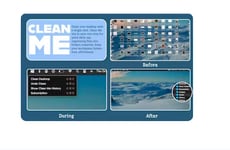
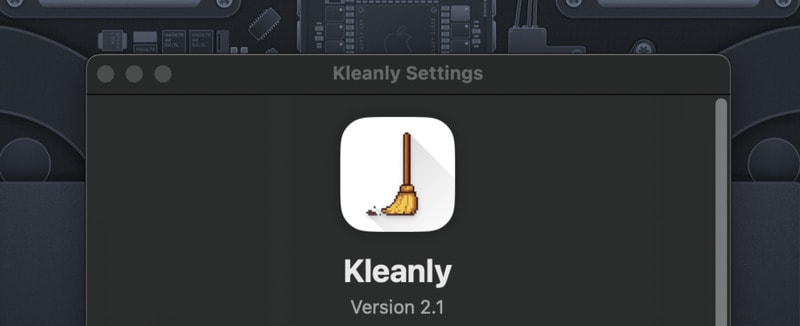
Kleanly is a lightweight macOS utility designed to simplify device maintenance by allowing users to temporarily disable their keyboard and trackpad. This feature prevents accidental inputs while cleaning, ensuring screens and surfaces can be wiped safely without triggering unwanted actions.
The tool offers a simple, one-tap activation process and automatically restores functionality once cleaning is complete. From a business perspective, Kleanly addresses a small but practical niche within device care and user experience — bridging convenience, safety, and productivity. As hybrid and remote work environments drive greater reliance on personal hardware, maintaining clean and functional devices has become part of everyday digital hygiene. Kleanly’s streamlined approach to solving a common irritation reflects the increasing demand for specialized, user-focused utilities in the modern macOS ecosystem.
Image Credit: Kleanly
The tool offers a simple, one-tap activation process and automatically restores functionality once cleaning is complete. From a business perspective, Kleanly addresses a small but practical niche within device care and user experience — bridging convenience, safety, and productivity. As hybrid and remote work environments drive greater reliance on personal hardware, maintaining clean and functional devices has become part of everyday digital hygiene. Kleanly’s streamlined approach to solving a common irritation reflects the increasing demand for specialized, user-focused utilities in the modern macOS ecosystem.
Image Credit: Kleanly
Consumer Demand Drives Foldable and Multi-Screen Devices
Consumers are adopting foldable and multi-screen devices as they seek more versatile and pocketable screen options for enhanced mobility and functionality.
Question 1
Which of the following types of devices have you personally used in the past 12 months?
Select up to 8
Question 2
What are the main reasons you use or chose this type of device?
Select up to 3
Question 3
How likely would you be to choose a foldable or multi-screen device the next time you purchase a smartphone, tablet, or laptop?
Trend Themes
-
Device Hygiene — The growing emphasis on maintaining clean personal hardware is driving innovation in utilities designed for safe, routine device care.
-
User-focused Software Utilities — Software that enhances user experience by addressing specific pain points, like accidental inputs during cleaning, is rising in popularity.
-
Automation in Digital Maintenance — Automated solutions catering to digital hygiene tasks reflect a growing trend in optimizing productivity and device usability.
Industry Implications
-
Personal Technology Accessories — The design of utilities like Kleanly fuels innovation in accessories and tools that complement personal technology management.
-
Software Development — Developing user-specific utilities tailored to enhance and safeguard device usage presents lucrative opportunities in the software sector.
-
Remote Work Solutions — As remote work continues to expand, industries providing comprehensive digital hygiene solutions are positioned for growth.
2
Score
Popularity
Activity
Freshness